Caregivers can now fix what they logged
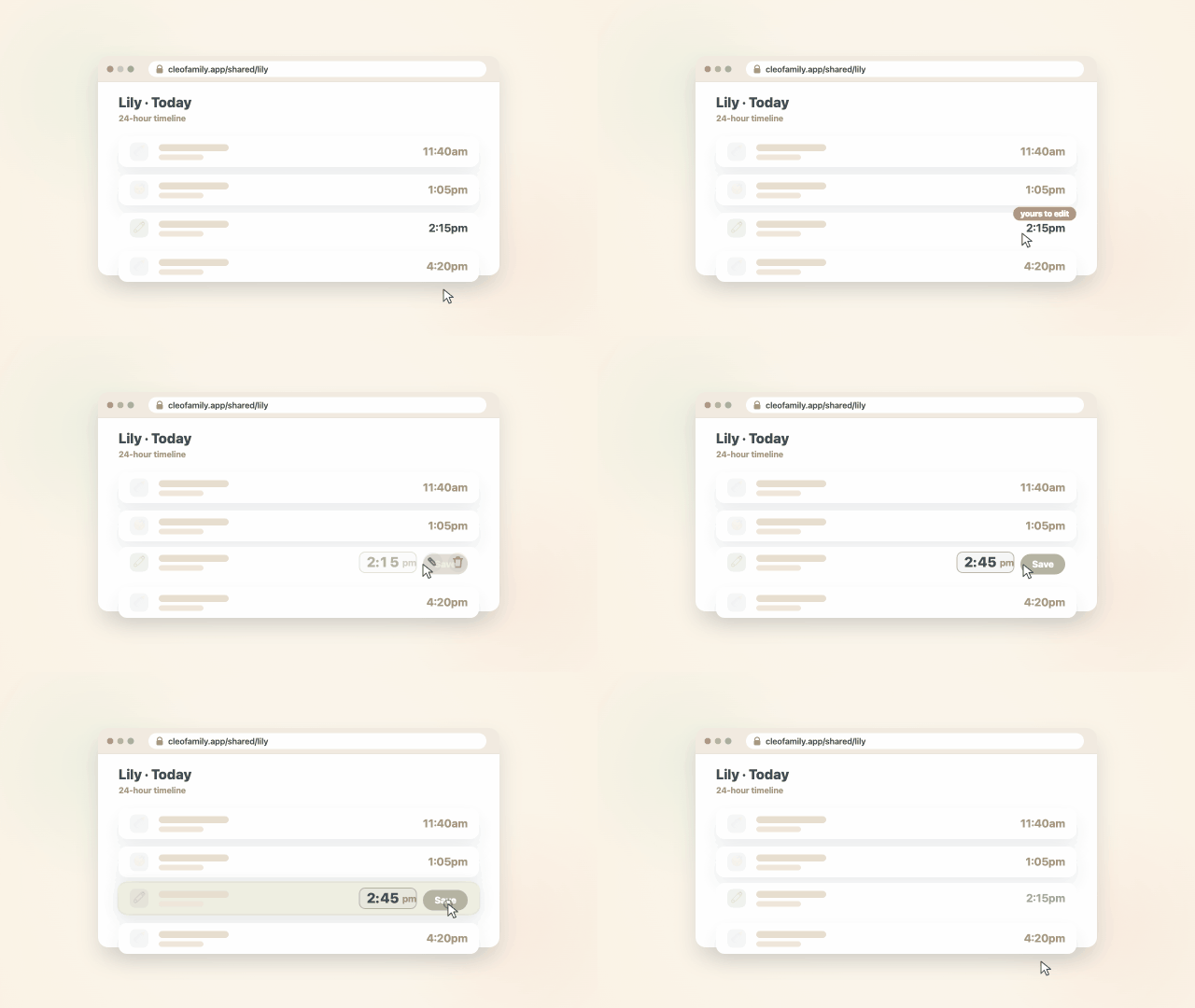
If you've shared a caregiver link with a babysitter or grandparent, they can now edit or delete the entries they personally logged through it, not just add new ones. I also redesigned voice logging to be simpler and more reliable, brought the exact-amount bottle picker everywhere, and forgotten bottles now close themselves.
Here's everything that landed in Cleo Track this week.
Caregivers can now fix what they logged
If you've shared a caregiver link with a babysitter, daycare, or grandparent, they've always been able to log entries through it. Now they can edit or delete the ones they logged themselves too, so a quick correction, the wrong time, a typo in the notes, doesn't have to wait for you. A small marker shows which entries are theirs to change.
Voice logging, redesigned to be simpler and more reliable
Hold the button, say what happened, even a few things at once, like "4oz bottle and a wet diaper," and Cleo shows you the entries it heard underneath. Look them over, accept or reject each one, and only then does anything get saved. It's iOS only for now.
Feeding, exact and consistent everywhere
The tap-to-edit ounce picker rolled out to every log form, feeding, multi-add, and the caregiver view, so you're never stuck with a fixed row of preset amounts. You can also now correct a bottle's contents (breast milk or formula) after you've started it, on web or iOS. And logging a feed without saying an amount now defaults to whatever you used last for that child, the same way everywhere you log.
Forgotten bottles close themselves
A bottle left open more than four hours, the classic forgotten log, now closes itself in the background, so it stops showing a runaway timer and stops blocking you from starting a new one.
Improved
- Sharing: managing a caregiver link on iOS is simpler now. Tap the link to edit it, and revoking it lives right there in the same sheet instead of a hidden swipe gesture.
- Feeding: the caregiver bottle view now shows in-progress sessions correctly as one entry with its sips grouped underneath, instead of scattering them.
- Notifications: "stay in the loop" pushes got more variety and warmth. A silent bug had them falling back to the same generic line every time.
- Timeline: grouped entries now collapse into a tidy stacked-icon summary you tap to expand, instead of growing into a tall card.
- Web: every log form now opens as a full-screen sheet instead of a small centered popup, so nothing gets clipped on a short screen.
- Design: tightened up colors, casing, and the wordmark to match the Cleo look more consistently across web and iOS.
- Removed the dashboard's "let's get caught up" banner. It's redundant now that notifications already surface what other caregivers logged.
Fixed
- Onboarding: adding a child during signup could silently fail to sync, leaving a new family unable to log anything with no error shown. Fixed, and a failure like this can't hide silently again.
- Settings: turning off AI cleanup suggestions for a kid could quietly get flipped back on by another device. It sticks now.
- Sleep: ending a sleep session from the Lock Screen Live Activity could silently fail to save if your session had expired. Fixed.
- Growth: entering a child's birthday in the evening could save the wrong calendar day depending on your time zone. Fixed, including the one record it affected.
- Timeline: the Timeline/List toggle was invisible if your phone's system setting was dark mode. Fixed.
- Feeding: the bottle-logging sheet popped the keyboard open over the amount buttons the moment it opened. It only shows up now if you tap the amount field.
Scott